01
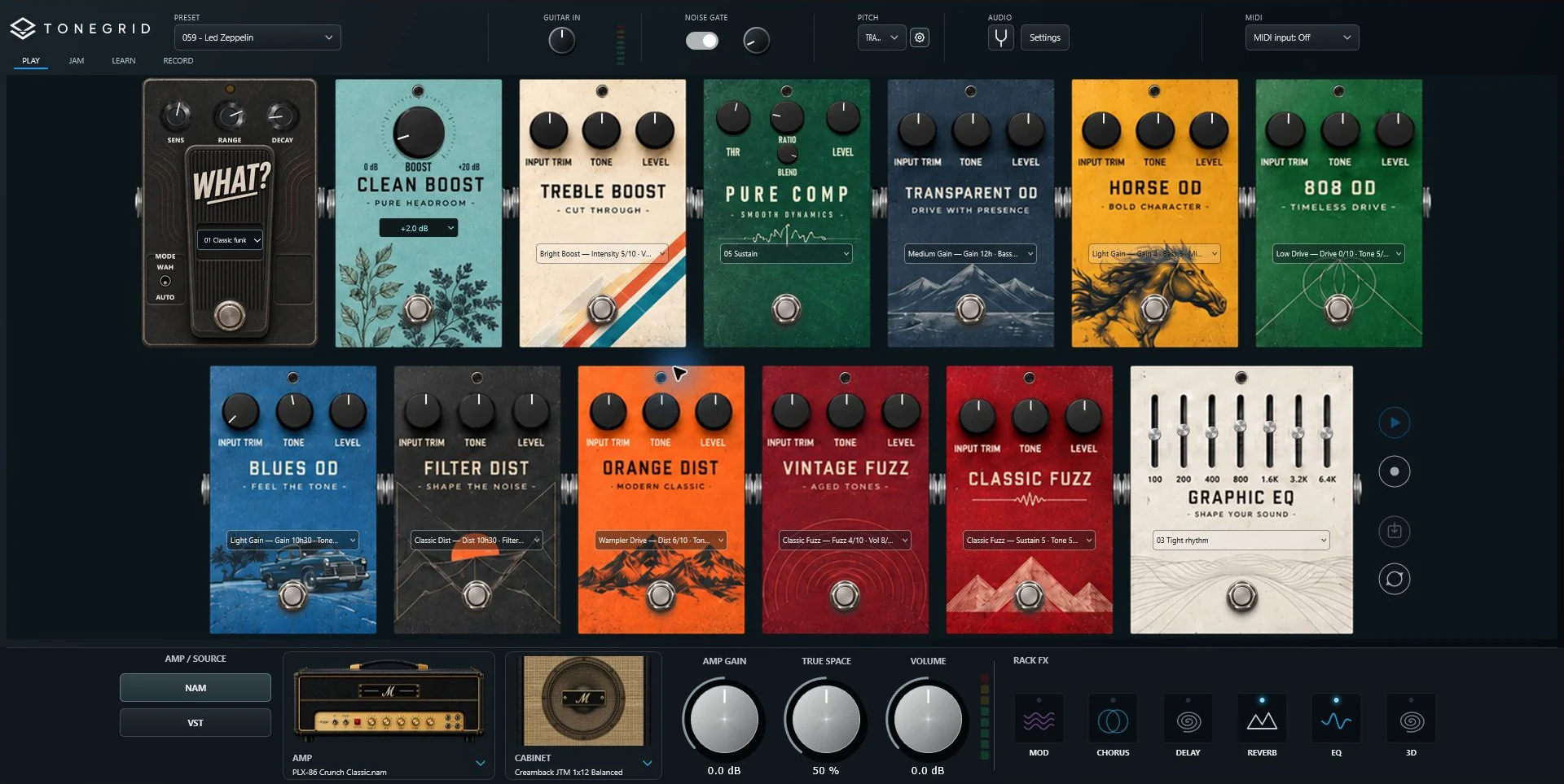
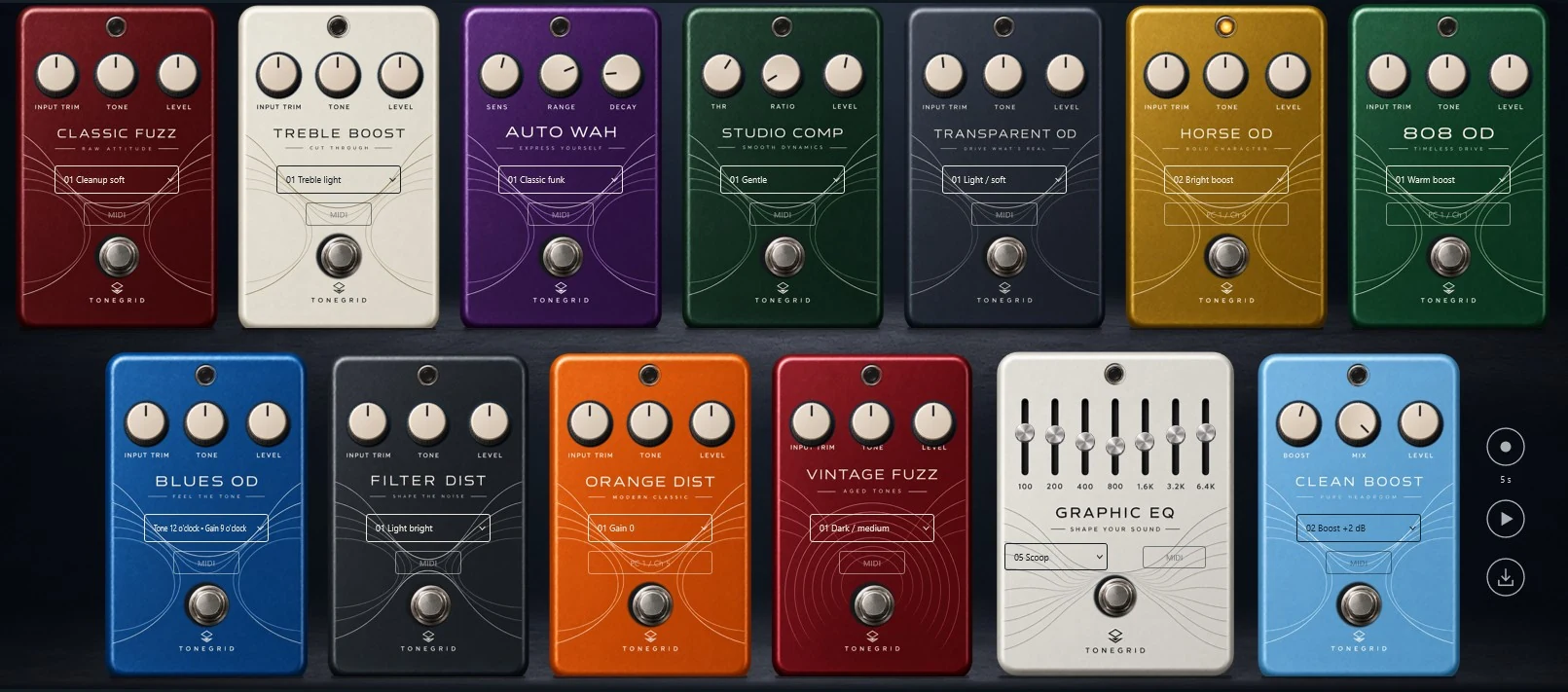
13 pedals. One complete rig.
From your first boost to your last distortion, build your sound with a carefully selected pedalboard. NAM captures and dedicated effects, connected in one clear view.
A complete guitar rig, built around NAM A2. Curated pedals and amps, a new parallel sound engine, and presets from our team and the community. Play, jam, learn and record—all in one place. Free and open source.
01 PLAY
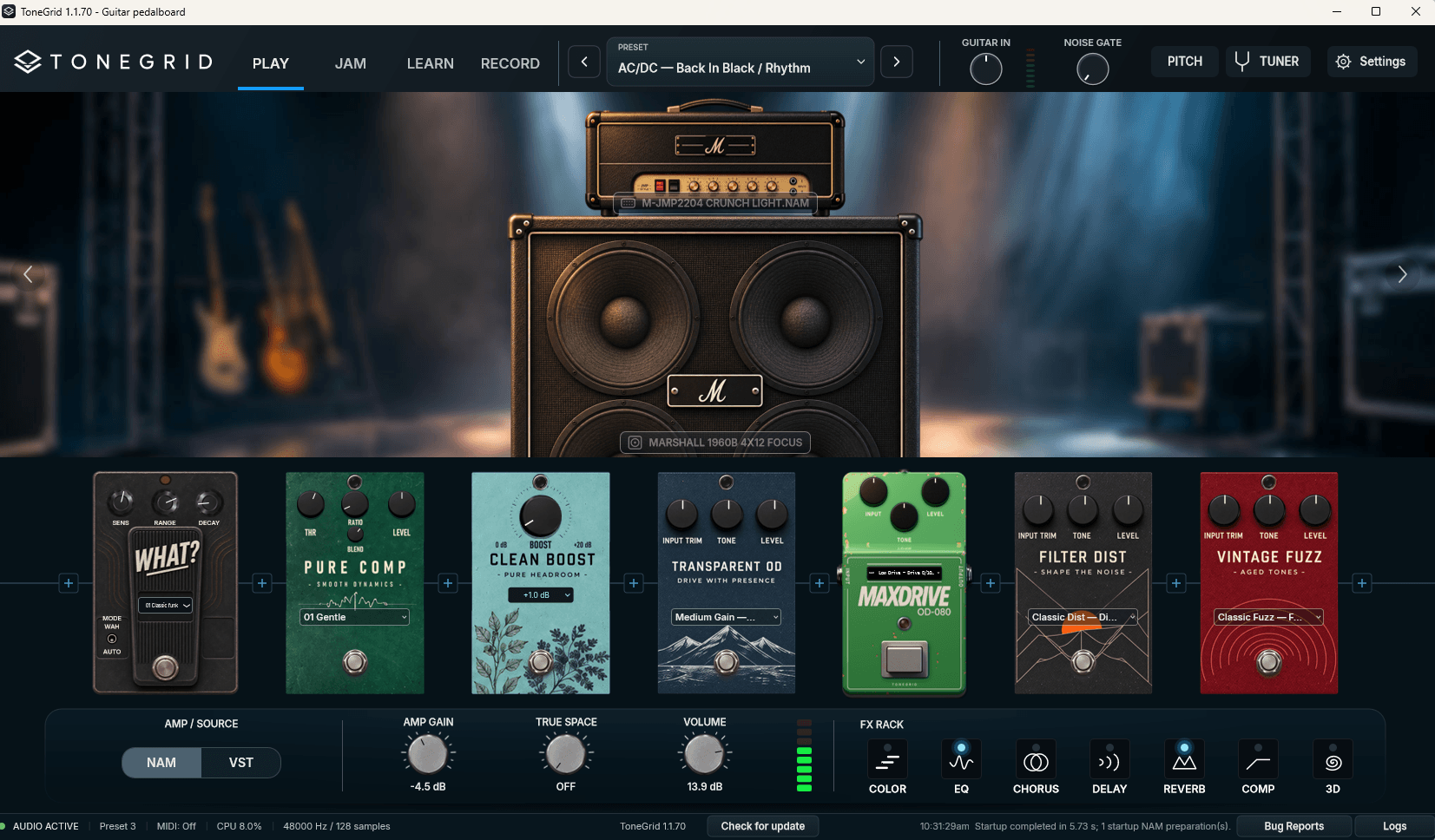
Everything starts with your sound. A curated pedalboard, amps, cabinets and post effects—built around NAM A2, with every part of the included chain selected and calibrated to work together.
From your first boost to your last distortion, build your sound with a carefully selected pedalboard. NAM captures and dedicated effects, connected in one clear view.
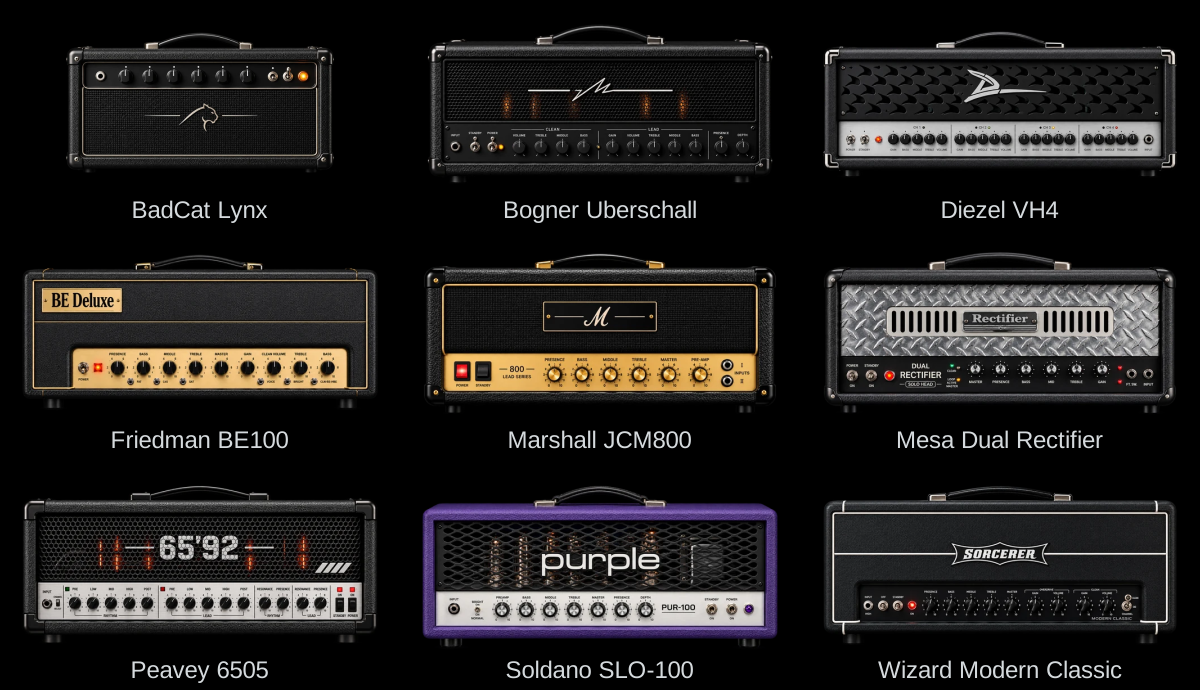
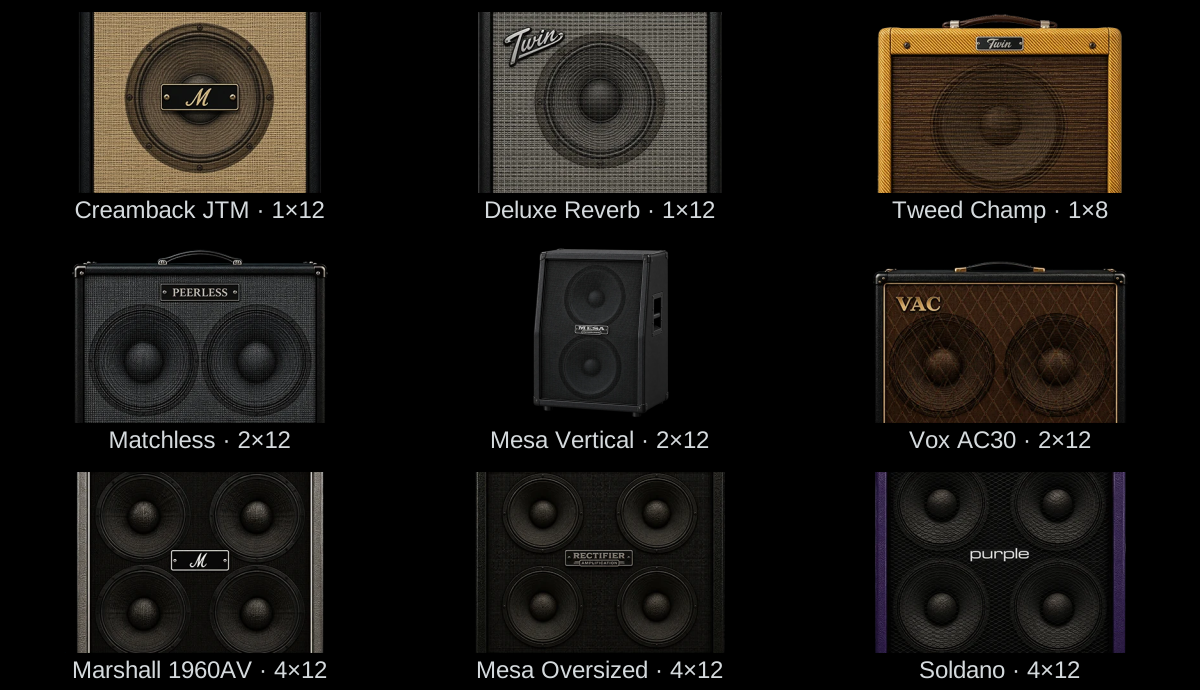
Clean · Edge · Crunch
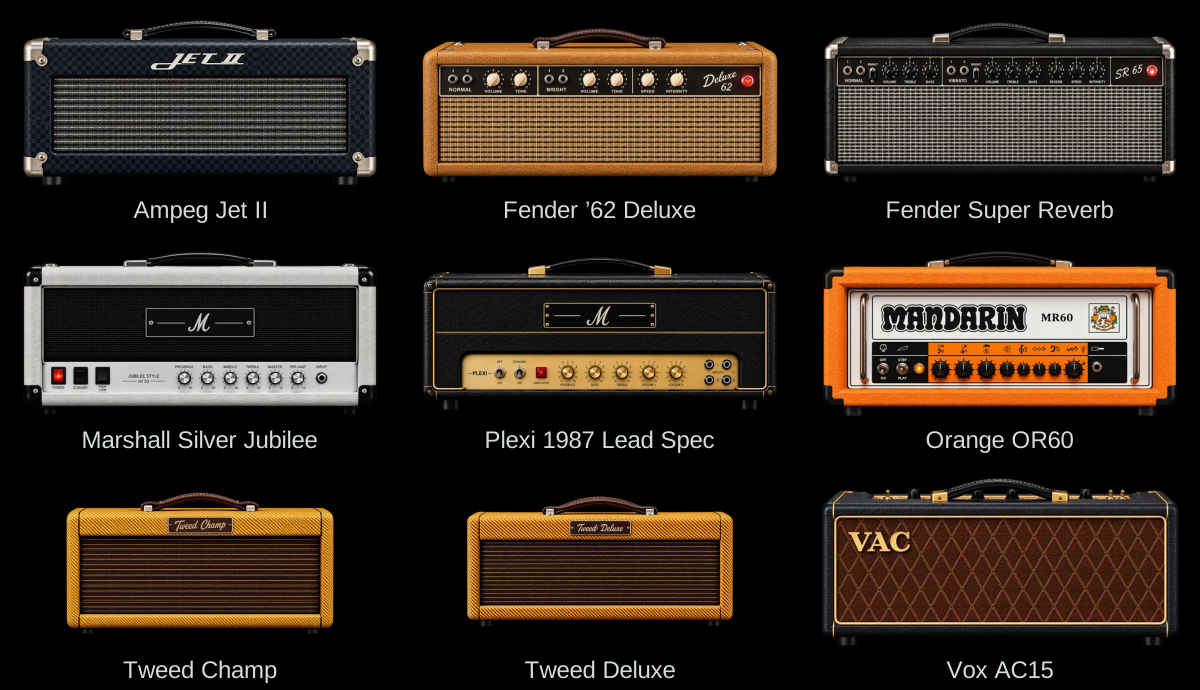
Explore 300 amp captures, all handpicked and calibrated by the ToneGrid team. From clean and edge-of-breakup to crunch, lead and high gain, find your sound and pair it with a cabinet—or load a full-rig capture.
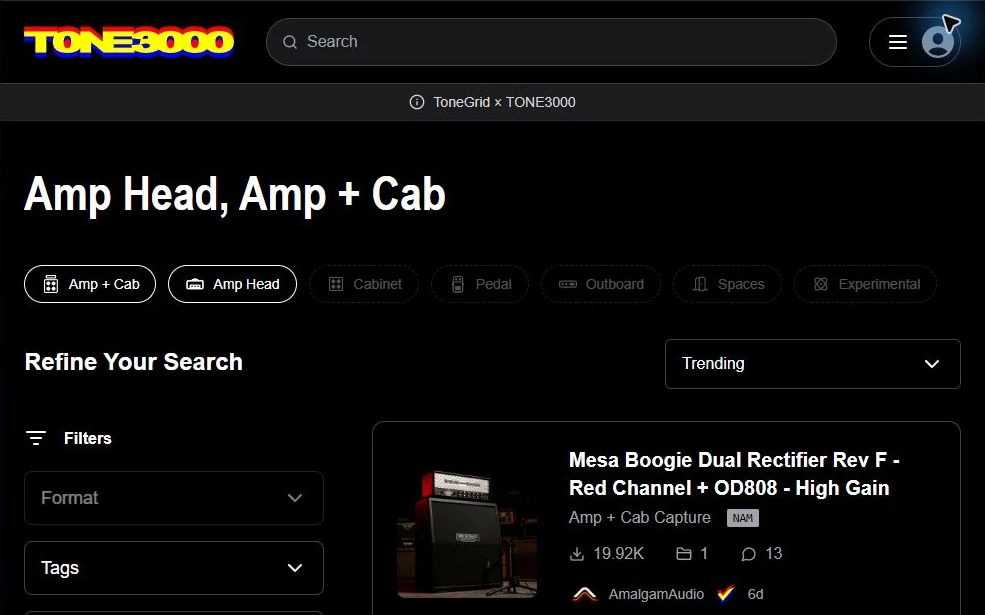
Access 750,000 captures through TONE3000. Find new amps, cabinets and pedals, or import your own NAM captures and ZIP packs from any creator.
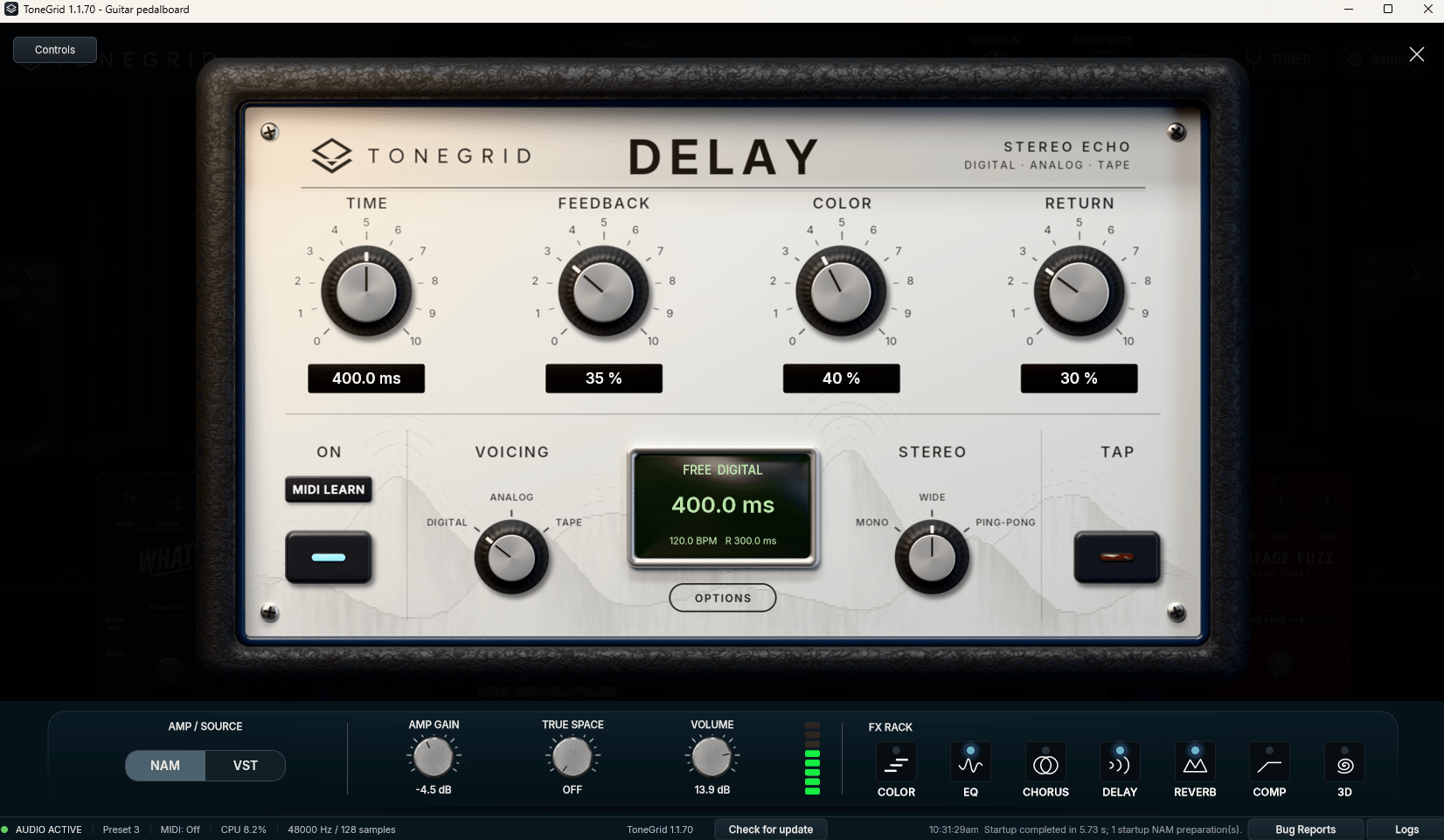
Shape your sound with the new Rack FX: reverb, delay, chorus, modulation, EQ and 3D. Add the stereo room of True Space, with a parallel engine behind the ambience.
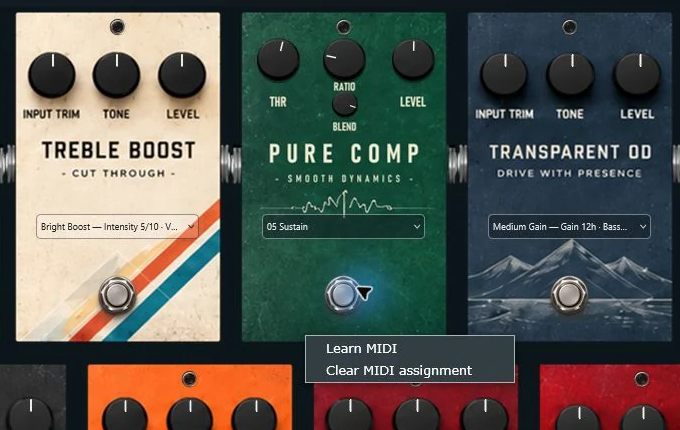
MIDI support connects your controller to your sound. Use MIDI Learn to switch presets, engage pedals and control your rig while you keep playing.
Switch to your favourite VST3 amp and keep the same pedalboard and workflow. NAM A2 stays at the heart of ToneGrid, with Full and Lite support.
New · Parallel sound engine
Keep your core sound present while adding space around it. Reverb, delay and True Space blend alongside the main signal, rather than feeding one effect into the next.
3D, modulation and chorus shape the main path. Each ambience has its own parallel return, so you can set the space around your sound independently.
One main sound. Three independent returns.

A calibrated chain
Every included pedal, amp and cabinet is selected and calibrated as part of one chain. No more wrestling with incompatible capture levels. Your signal moves through the rig as it would through a carefully matched physical setup.
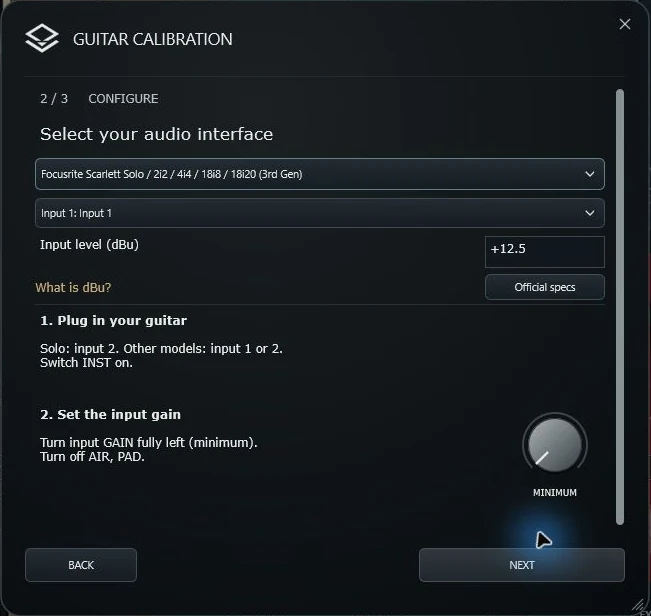
For supported audio interfaces, ToneGrid preloads the input calibration value in dBu. Your amp receives the level it expects, so its dynamics and saturation respond as intended—not accidentally too clean or too driven.
Local · ToneBank · Community
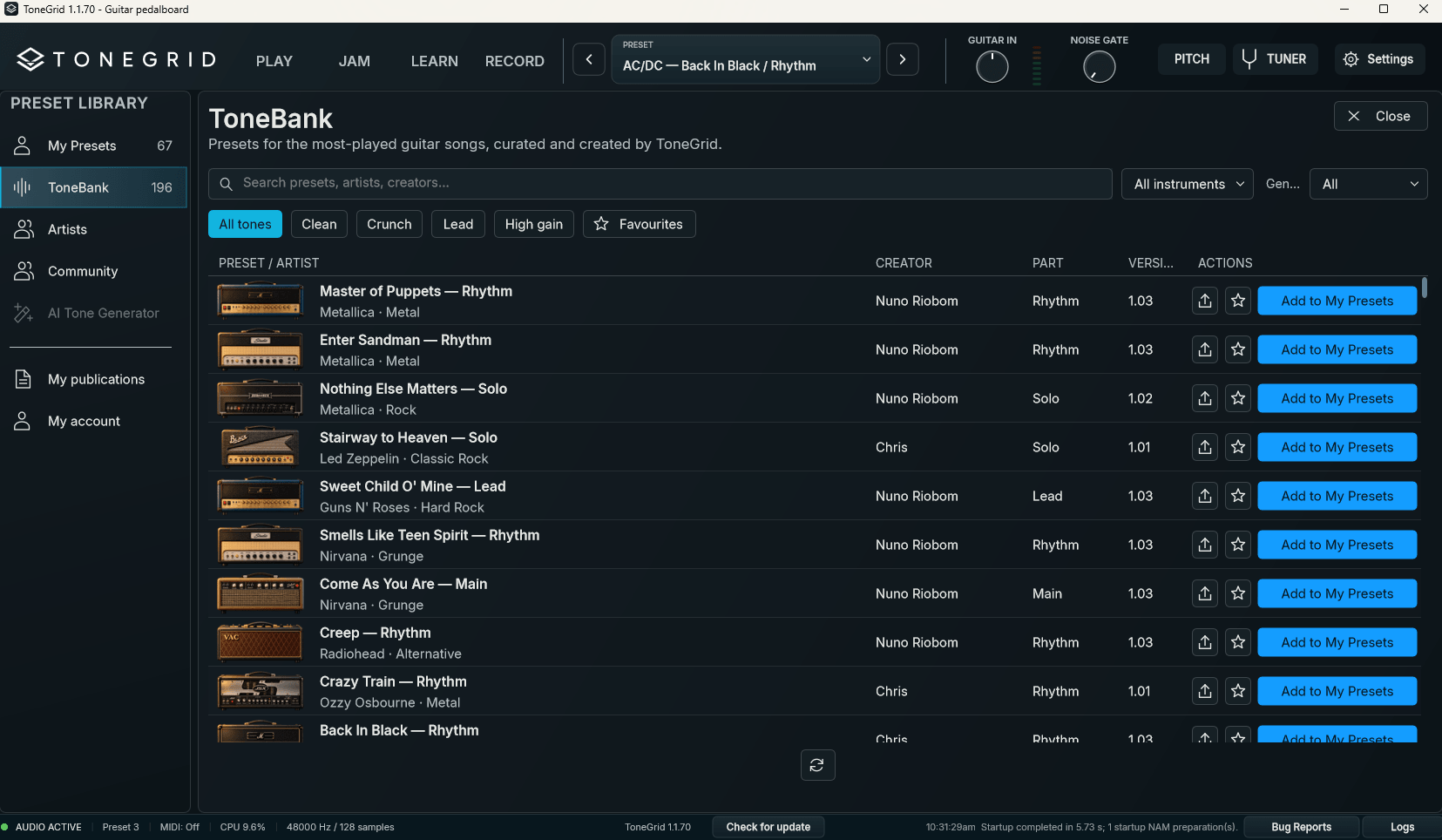
Your own sounds, our curated collection, and rigs shared by other players—all in one preset library.
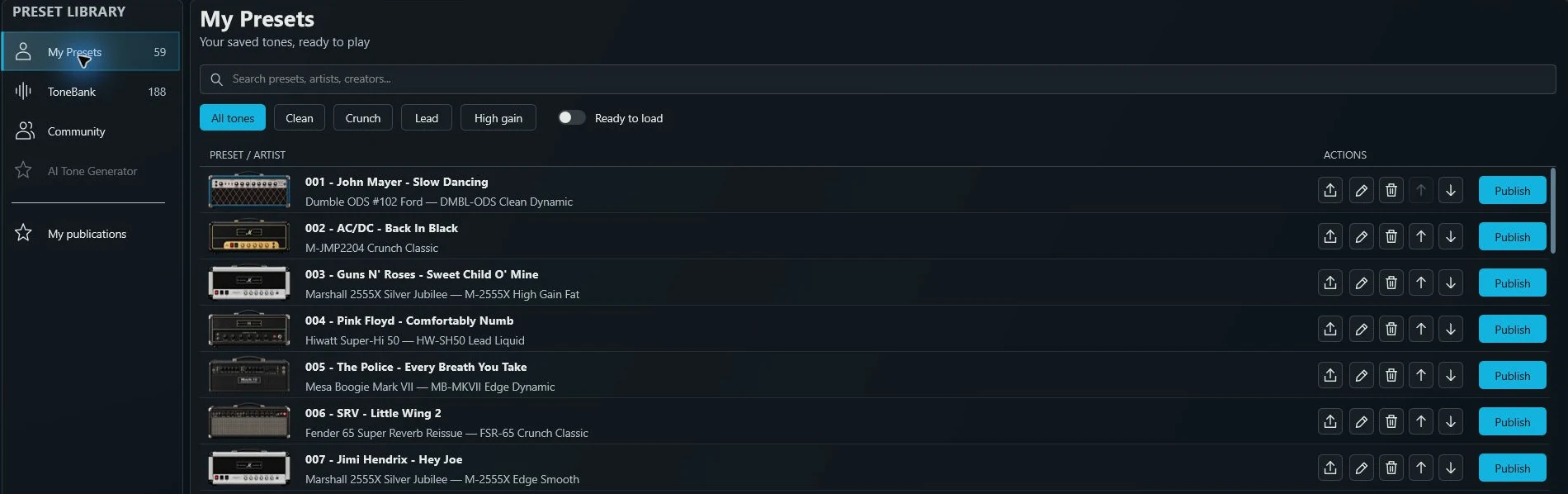
Keep the sounds you build. Save, import and organise rigs on your computer, then export a favourite or publish it to Community when you’re ready.
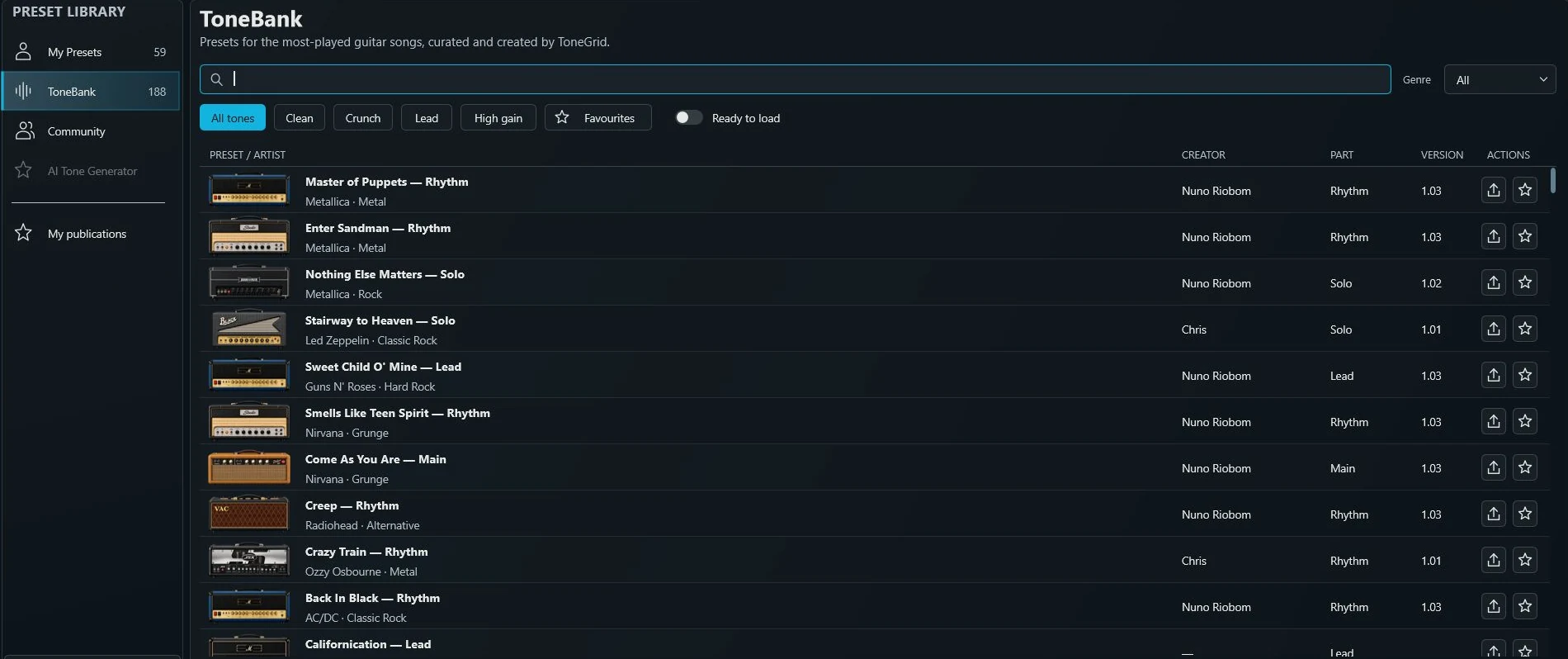
Explore 180+ song-inspired presets selected and created by the ToneGrid team. Browse by artist or style, choose a part, and load a complete rig as your starting point.
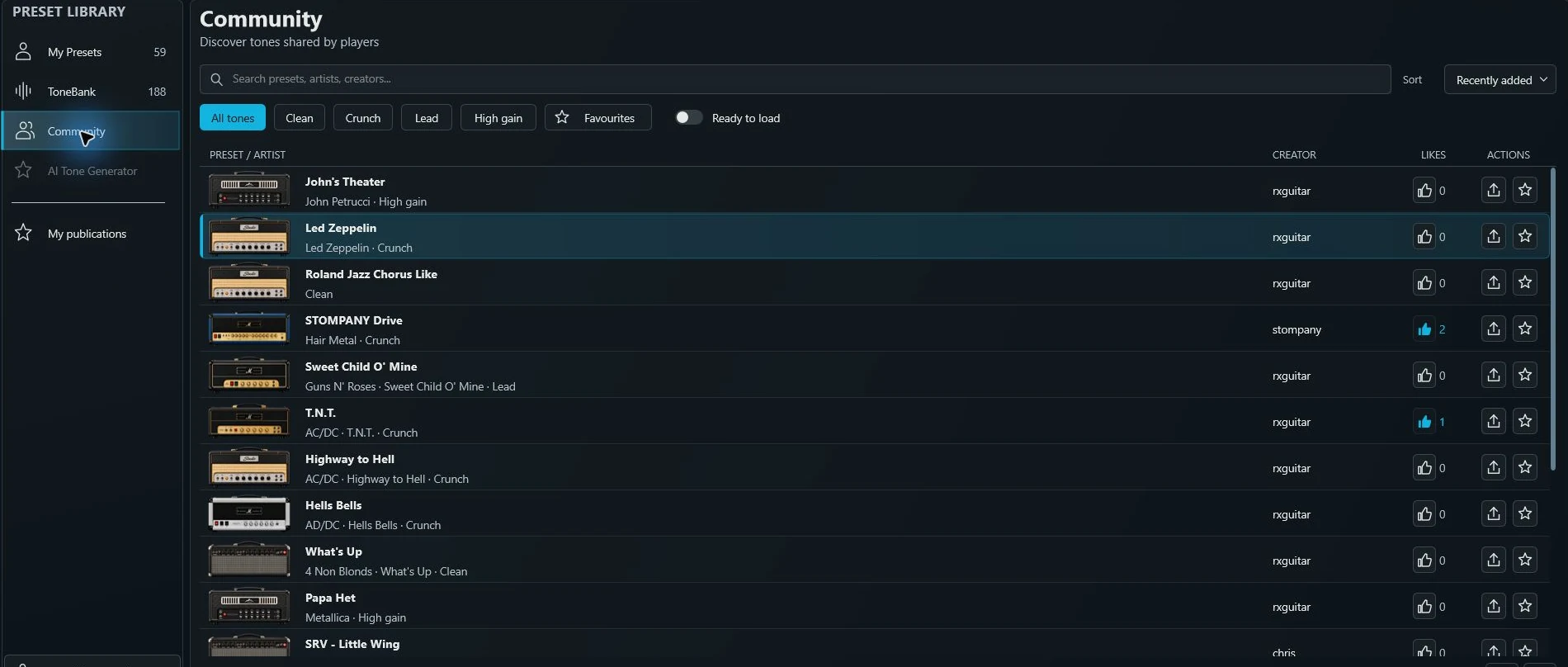
Discover rigs published by other guitarists, find favourites and see who created each sound. Share your own from My Presets, and manage your contributions in My publications.
Start with a preset. Change anything. Save your own version locally.
02 JAM
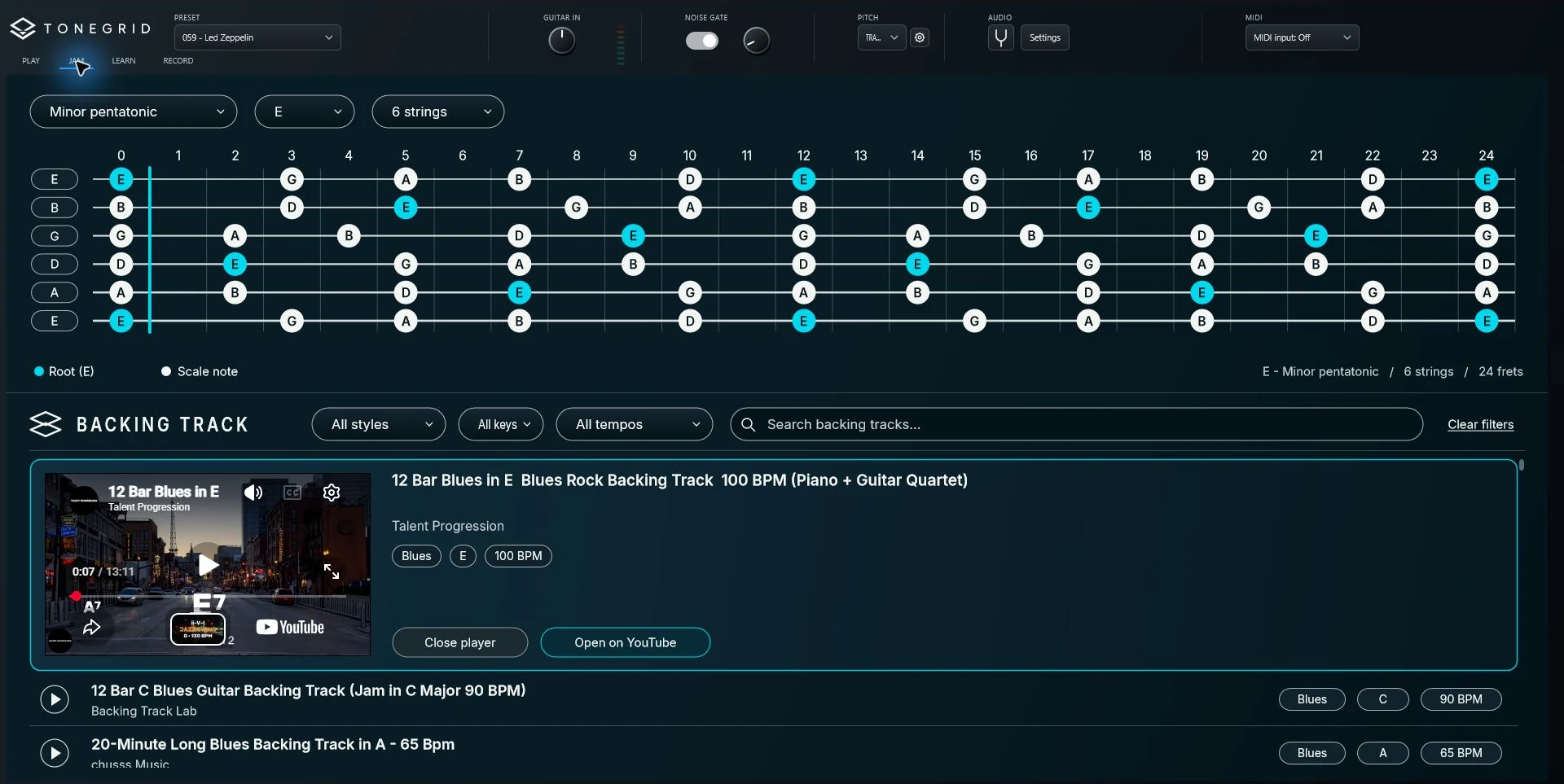
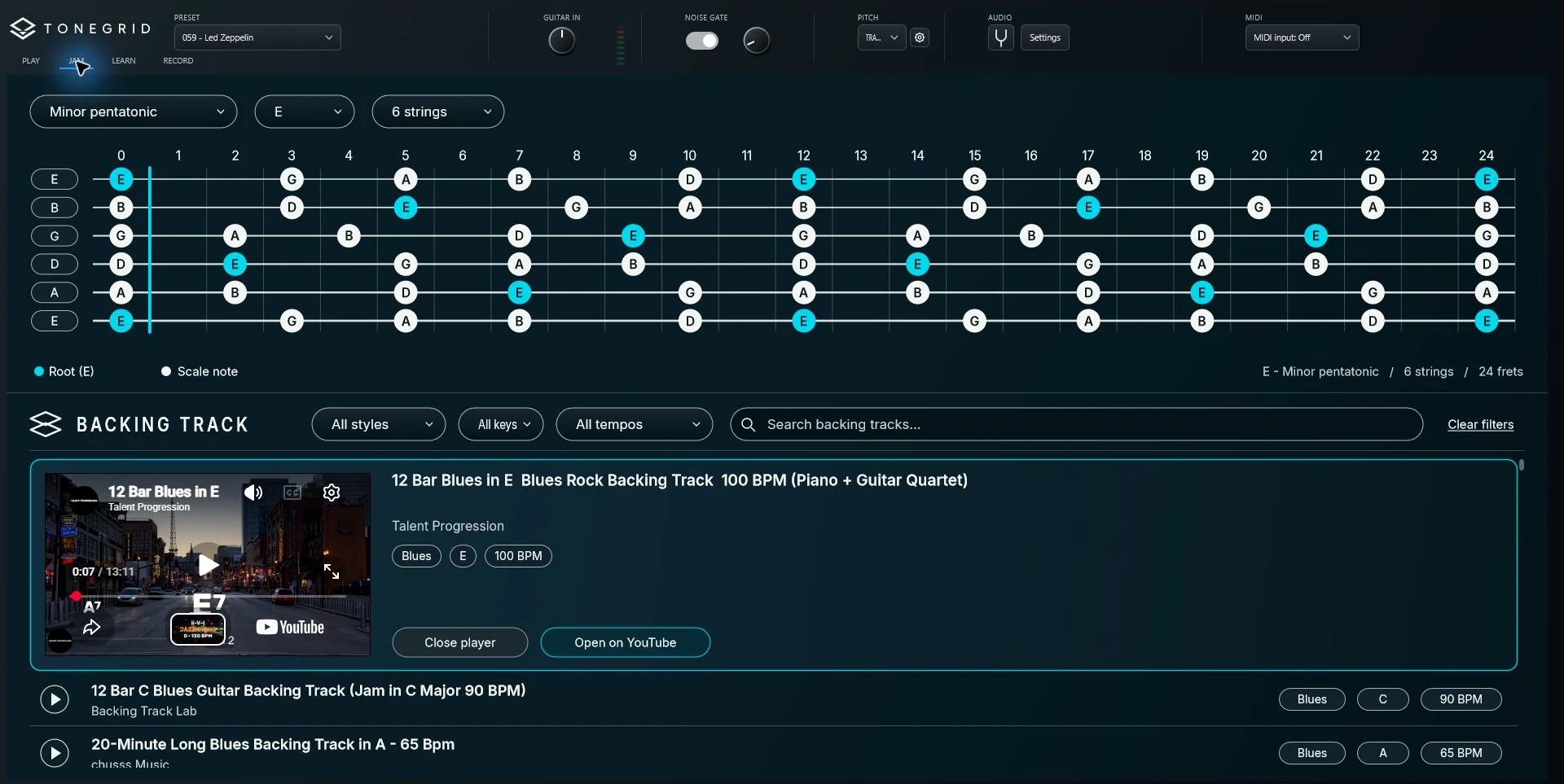
More than 900 backing tracks, from jazz and blues to hard rock and beyond. Filter by style, key and tempo, load your tone, and let the ideas flow.
ToneGrid automatically displays a guitar fretboard with scale notes in the right key. Your sound, backing track and fretboard stay together on one screen. Made for improvisation.
03 LEARN
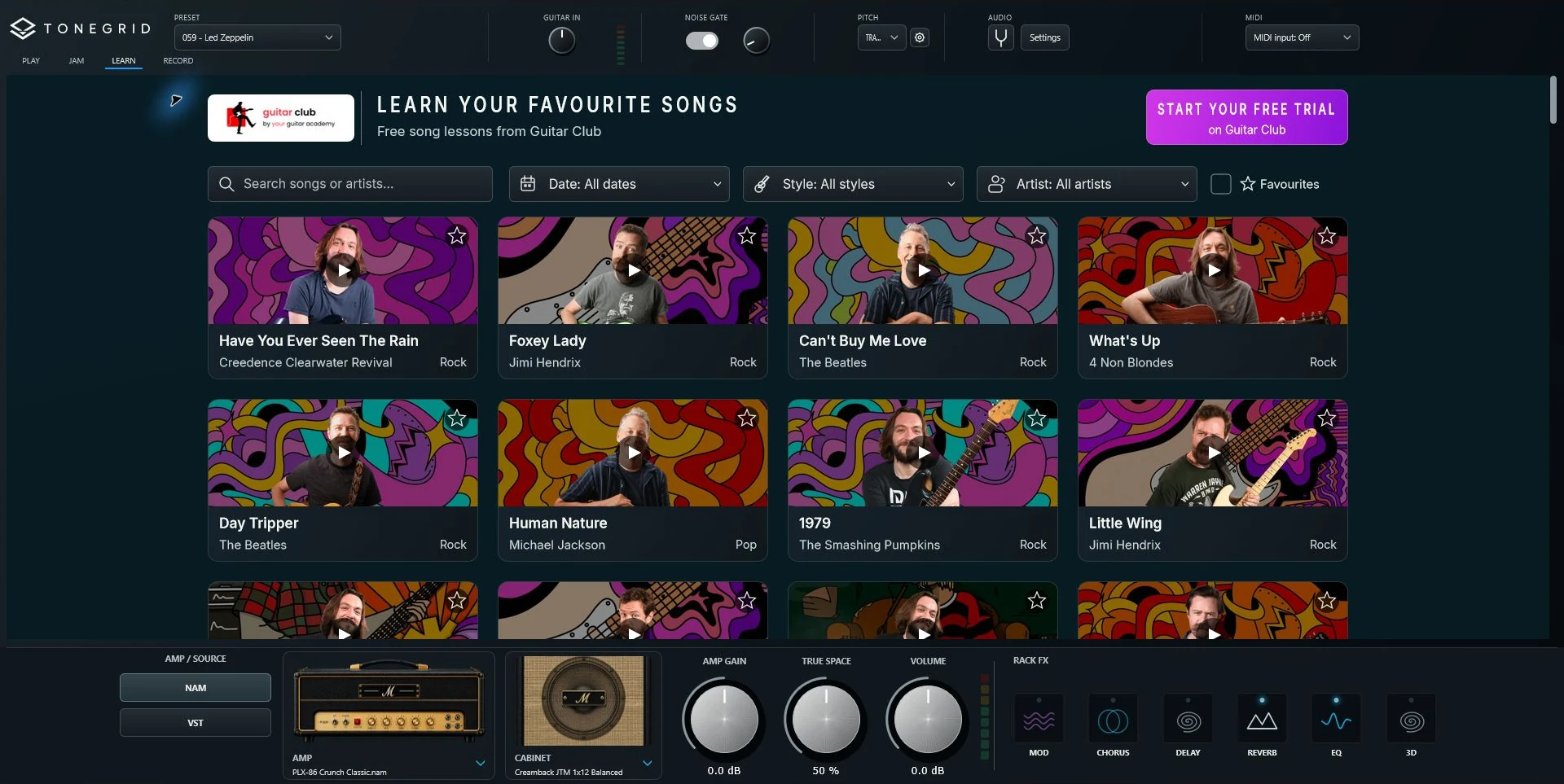
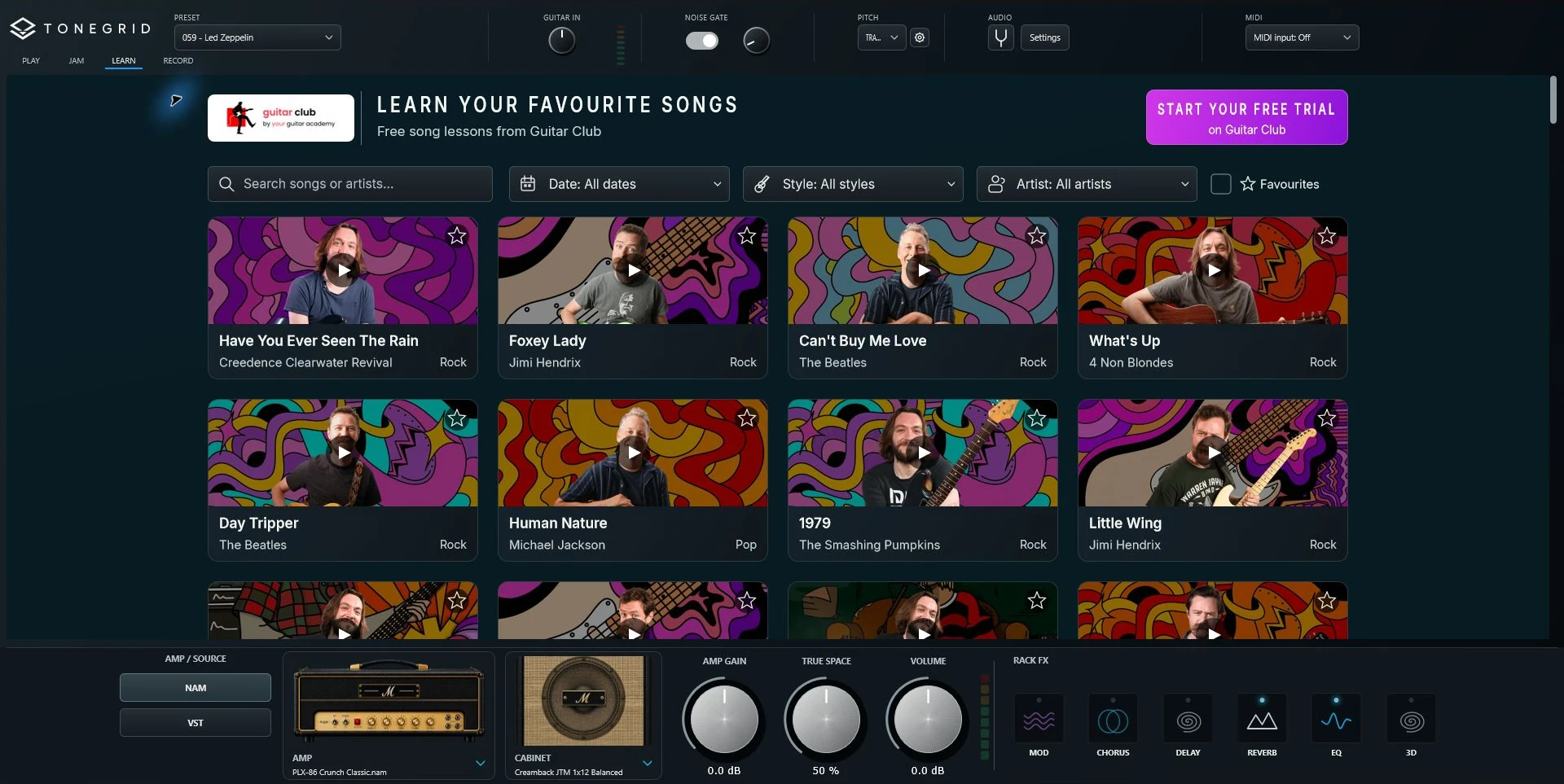
Through an exclusive partnership with the team at GuitarClub.io, more than 100 song lessons are available for free inside ToneGrid.
Learn from clear, inspiring YouTube video lessons, with songs by John Mayer, AC/DC, Jimi Hendrix and more. Load a ToneBank preset, open the lesson and start playing—all in the same place.
We’re delighted to bring Guitar Club’s incredible teaching method to the ToneGrid community.
12 app languages
ToneGrid is available in 12 languages. Choose yours in the app settings, then play, jam, learn and record with an interface that feels familiar.
One shared love of guitar.
04 RECORD
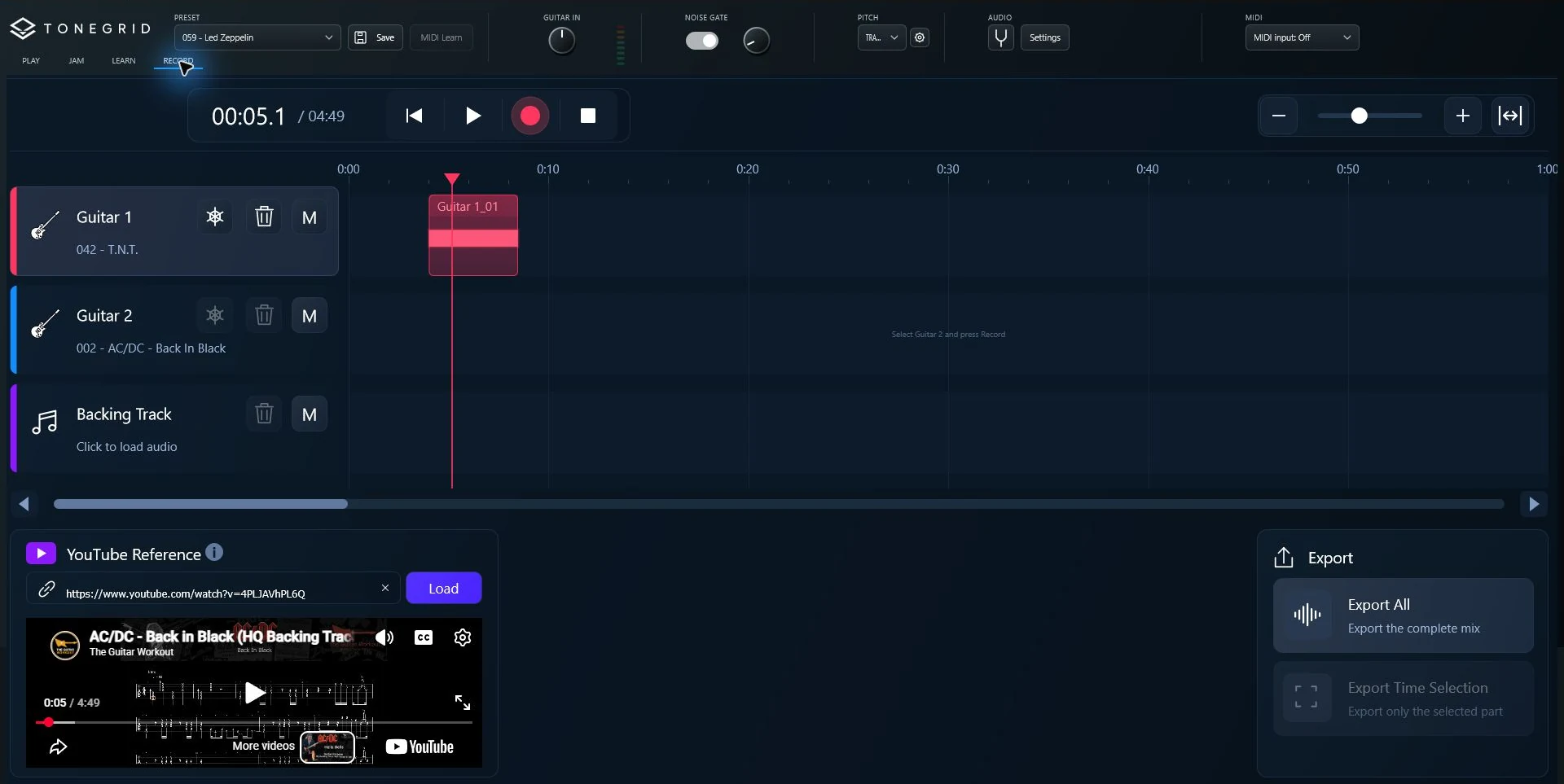
A recording space made for guitar. Capture your playing and solos without opening a DAW.
Import an external backing track, or play along with a YouTube backing video in the same workspace. Keep your rig, your accompaniment and your next take within reach.
Team & contributors
We bring together a love of guitar, thoughtful design
and the craft of great captures.
Project Co-lead
christian@tonegrid.net
Project Co-lead
Mickael@tonegrid.net
Sound Designer
Guitar Custom
iOS Lead Project
Project Manager & UX

Bass Lead Project
Developer

Advisor & Creator
2dor on Tone3000
Advisor & Creator
OutmodedElectronicsFAQ
Yes. The current beta is available for Windows and macOS. Linux support is coming soon.
Yes. ToneGrid is 100% free and open source. There is no paid licence or subscription required to play.
An electric guitar, a compatible audio interface and headphones or speakers. Connect your guitar, select your audio device and follow the calibration guidance.
Yes. Load your own NAM captures, explore Tone3000 or use an installed VST3 amp plugin. ToneGrid supports NAM A2 Full and Lite. Third-party plugins are installed separately.
Yes. Keep your own rigs in My Presets, explore 180+ curated ToneBank presets, or discover sounds shared by other players in Community. Adjust a sound for your guitar and save your own version locally.
We welcome beta testers, capture creators, preset designers and developers. Tell us how you would like to help at christian@tonegrid.net.

Your stage. Your sound.
100% free. 100% open source.
100% more guitar.